SOPHIAShape your universe on a big screen.
Download the free trialWindows 10 / 11 (64-bit) · about 1.5 MBNo sign-in. Your work is saved only on your PC.
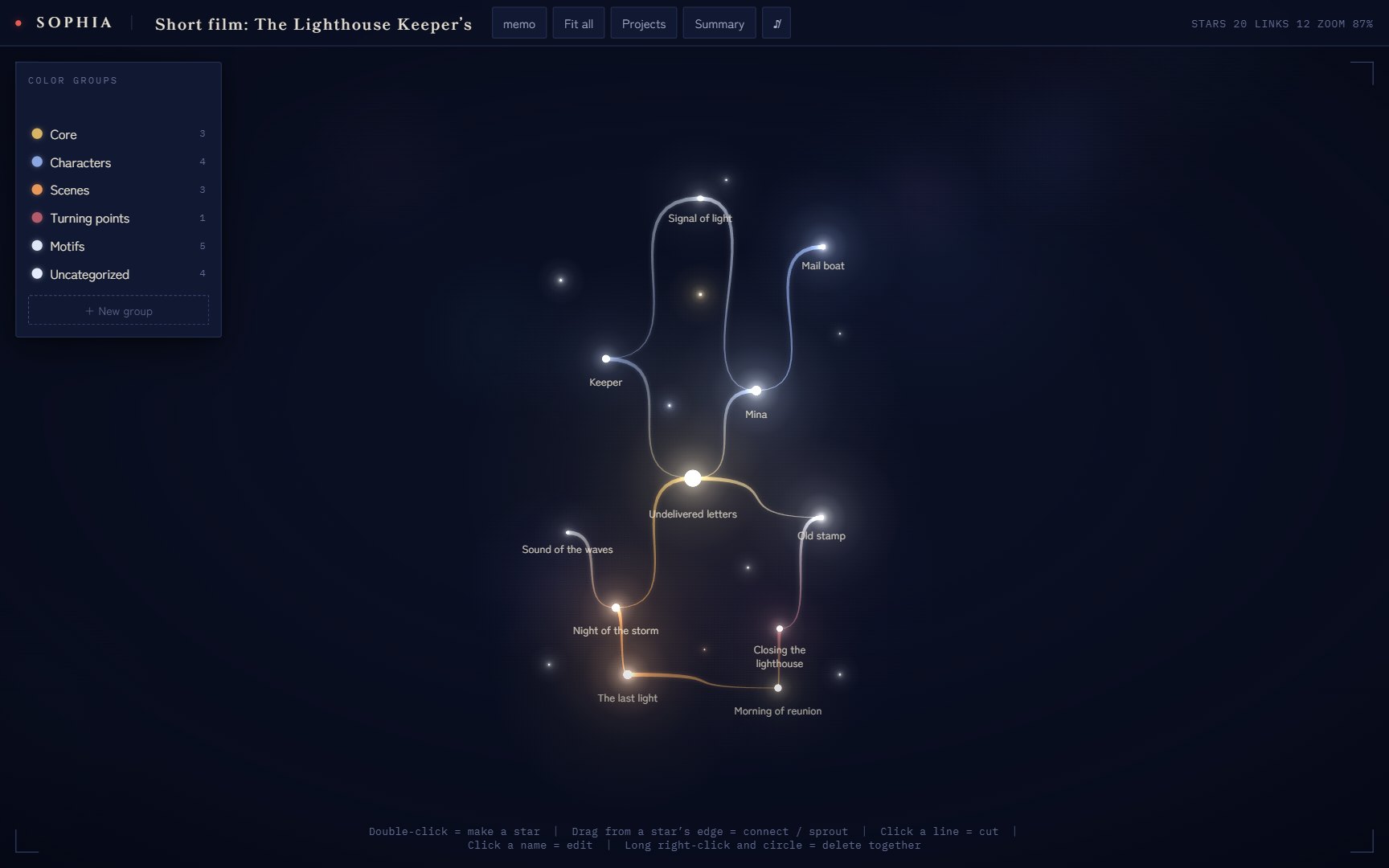
What you can do on PC
Your phone is the canvas for catching an idea the moment it comes. The PC version is the editing room, where you see the whole and shape it with care.
See it all
Zoom and pan from the whole constellation down to a single star. On a wide screen, the flow of your thinking shows at a glance.
Sticky notes and images
Write on a note and stick it to the sky. Stars can hold images too.
Colors and groups
Sort stars into named color groups. Circle several to delete them together.
From your phone
Open a project file you exported on your phone with “Open from file” on the PC.
Trial and full version
The PC version starts as a free trial. Buying SOPHIA on your phone (iPhone / Android) unlocks the full PC version too. There’s nothing extra to buy for PC.
Trial
- Up to 10 stars
- 1 project
- Every feature to try
Full version
- Stars without limit
- Up to 5 projects (phone)
- The PC version unlocked too
Unlock the PC version
- Buy on your phone. Make the one-time purchase from the app’s purchase screen.
- Find your code. After buying, a code like
SOPH-XXXX-XXXX-XXXXappears on the phone’s purchase screen (open it from Star list → Settings). - Enter it on PC. In the PC version, go to Projects → “Trial · Unlock full version” and enter the code.
Opening a project file exported from a phone that has bought SOPHIA (“Open from file”) also unlocks the PC version automatically.
How to install
- Open the downloaded
SOPHIA-setup.exe. - If you see “Windows protected your PC”, press “More info”, then “Run anyway”. SOPHIA is still new and has few downloads, so Windows shows this check. If the publisher reads “草苅佳宣” (Yoshinori Kusakari), it is the official SOPHIA file. Security software such as Norton may scan the file for about 20 seconds the first time; when it says it looks safe, you can use it as usual.
- Follow the steps on screen, and SOPHIA’s icon appears on your desktop and in the Start menu.
A Mac version is in preparation.